Restaurant ERP in India: Connecting Bills, Stock, Recipes, Sales and Accounts
· 9 min read
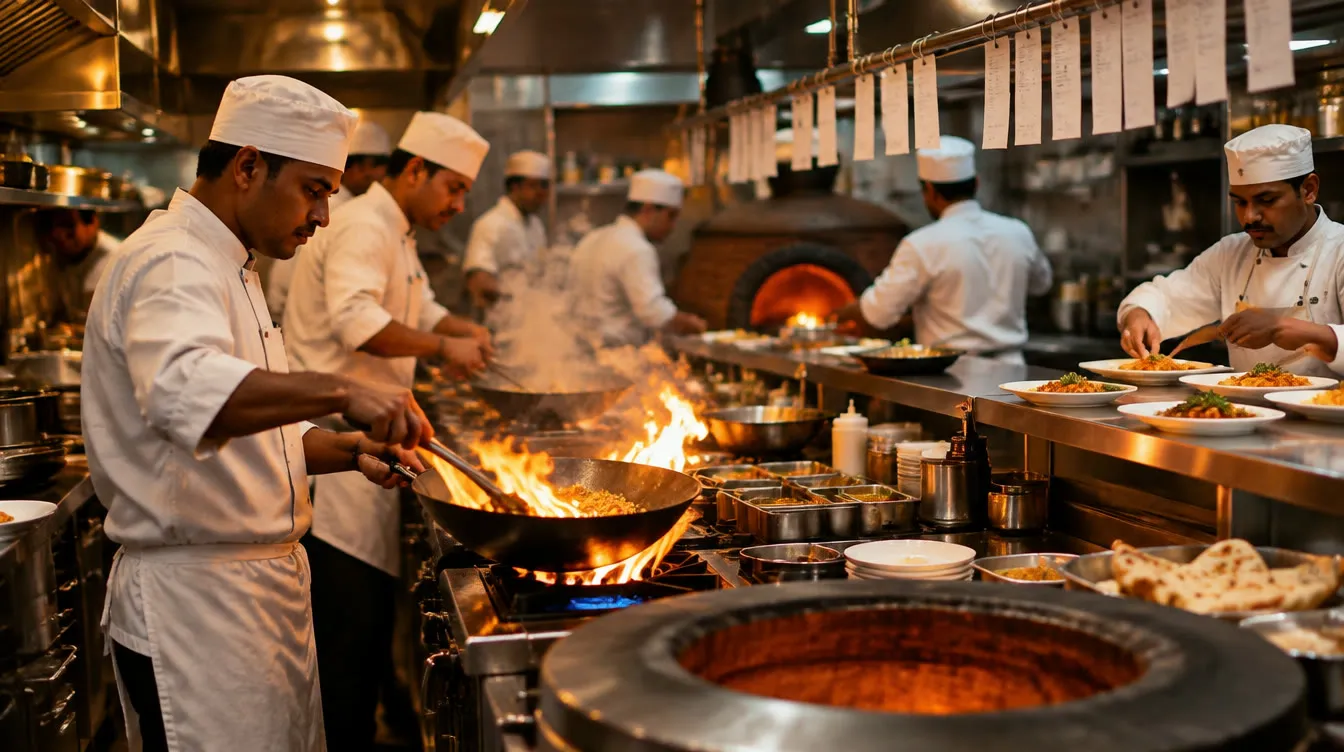
It is Saturday night at a busy restaurant. The POS says the day did ₹1.84 lakh. The owner knows exactly what was sold. What they can't tell you is what that ₹1.84 lakh cost them: what the paneer cost this week, how much of it went into each plate, how much went into the bin, and whether the fish curry makes any money at all.
That number usually turns up at month end, if it turns up at all — after someone has typed every supplier bill, counted the store and reconciled it all in a spreadsheet. By then, it's too late to fix the portion size or call the supplier.
This guide is for restaurant, café, bar, hotel F&B and cloud-kitchen owners and managers in India. It explains what a restaurant ERP actually does, the food-cost arithmetic every owner should know, and how to connect the back office so the answer is ready every day, not once a month.
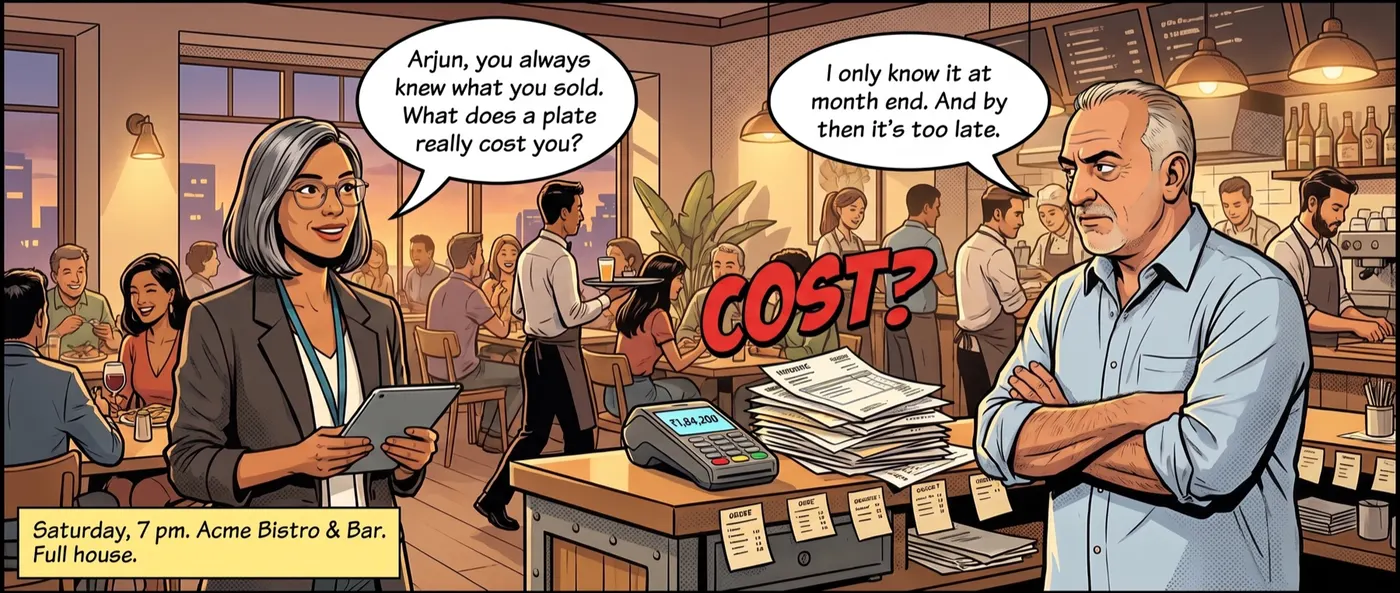 The question every owner can answer about revenue, and few can answer about cost.
POS vs ERP: what each one does
Most restaurants already have a good POS. It handles orders, KOTs, billing, payments and aggregator orders. What it doesn't handle is everything that happens before the food reaches the pass:
| POS | Restaurant ERP | |
|---|---|---|
| Records | Orders, bills, payments, channels | Supplier bills, purchases, stock, recipes, accounts |
| Answers | "What did we sell?" | "What did it cost, and where did the stock go?" |
| Works with | Front of house | Store, kitchen, purchase, accounts |
| Month end | Sales report | Food cost, P&L, GST, supplier dues |
You don't replace one with the other. The ERP sits behind the POS, takes its sales, and turns them into cost, stock and accounts.
Signs your back office needs an ERP
- Supplier bills are typed into Tally or Excel days after they arrive.
- Nobody can say today what is in the store, only what was there at the last count.
- Recipe costs were worked out once and never updated when prices moved.
- The same supplier bill has been paid twice, or nearly.
- Food cost is a number you find out at month end, not one you manage.
- Stock moves between a central kitchen and outlets with no record of who took what.
- The P&L arrives a month late, and GST is a scramble before the due date.
The food-cost arithmetic every owner should know
Plate cost and food cost %
Food cost % = cost of ingredients ÷ selling price × 100.
Take a butter chicken:
| Ingredient | Cost |
|---|---|
| Chicken | ₹48 |
| Butter and cream | ₹14 |
| Gravy base (a sub-recipe) | ₹12 |
| Spices | ₹6 |
| Packing | ₹6 |
| Plate cost | ₹86 |
Sold at ₹320, its food cost is 86 ÷ 320 = 27%. Many Indian restaurants aim for somewhere around 28–35% across the menu, depending on cuisine and format. The point isn't one magic number. It is knowing each dish's number, and noticing when it moves.
Notice the gravy base. Most kitchens cook bases, gravies and marinades in batches, and those batches go into many dishes. If the sub-recipe isn't costed, every dish that uses it is costed wrong.
When a price moves, every plate moves
If paneer goes from ₹340 to ₹372 a kilo, a paneer tikka that used ₹58 of paneer now uses about ₹63. Nobody re-costs 40 recipes by hand every time a supplier changes a rate, so in most kitchens the recipe costs quietly go stale.
Theoretical vs actual consumption
This is the comparison that finds money:
- Theoretical consumption = what your recipes say you used, given what the POS sold.
- Actual consumption = opening stock + purchases − closing stock.
The gap between them is wastage, over-portioning, unrecorded staff meals, theft or bad counts. You can only see it if purchases, recipes, sales and stock all live in one place.
How Novota runs the back office
Novota is one back office for restaurants, bars and production kitchens, built around five modules that share the same masters and the same live stock ledger. On our site it is sold as Novota with MMS: the full ERP, not just invoicing.
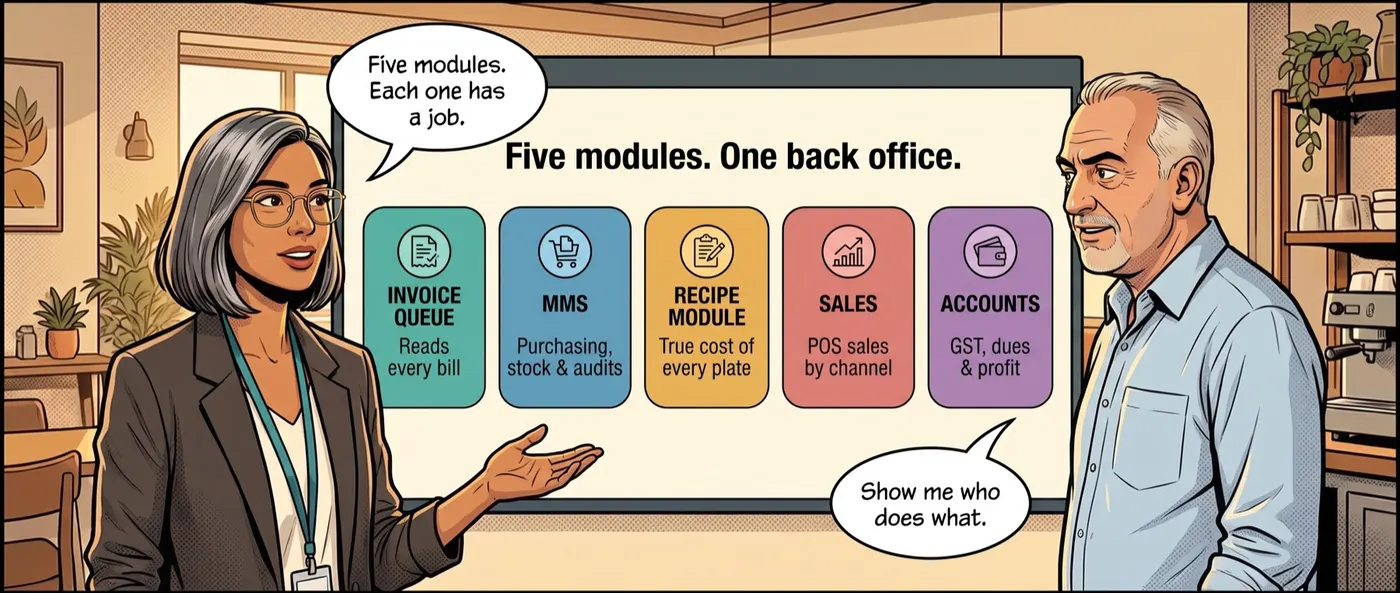 Five modules, one back office: each has one job, and they all read the same data.
1. Invoice Queue: every supplier bill, read
Photograph or drop a supplier bill and Novota reads every line: item, quantity, rate, GST and totals. It handles multi-page invoices, utility bills, liquor bills and fresh-produce bills.
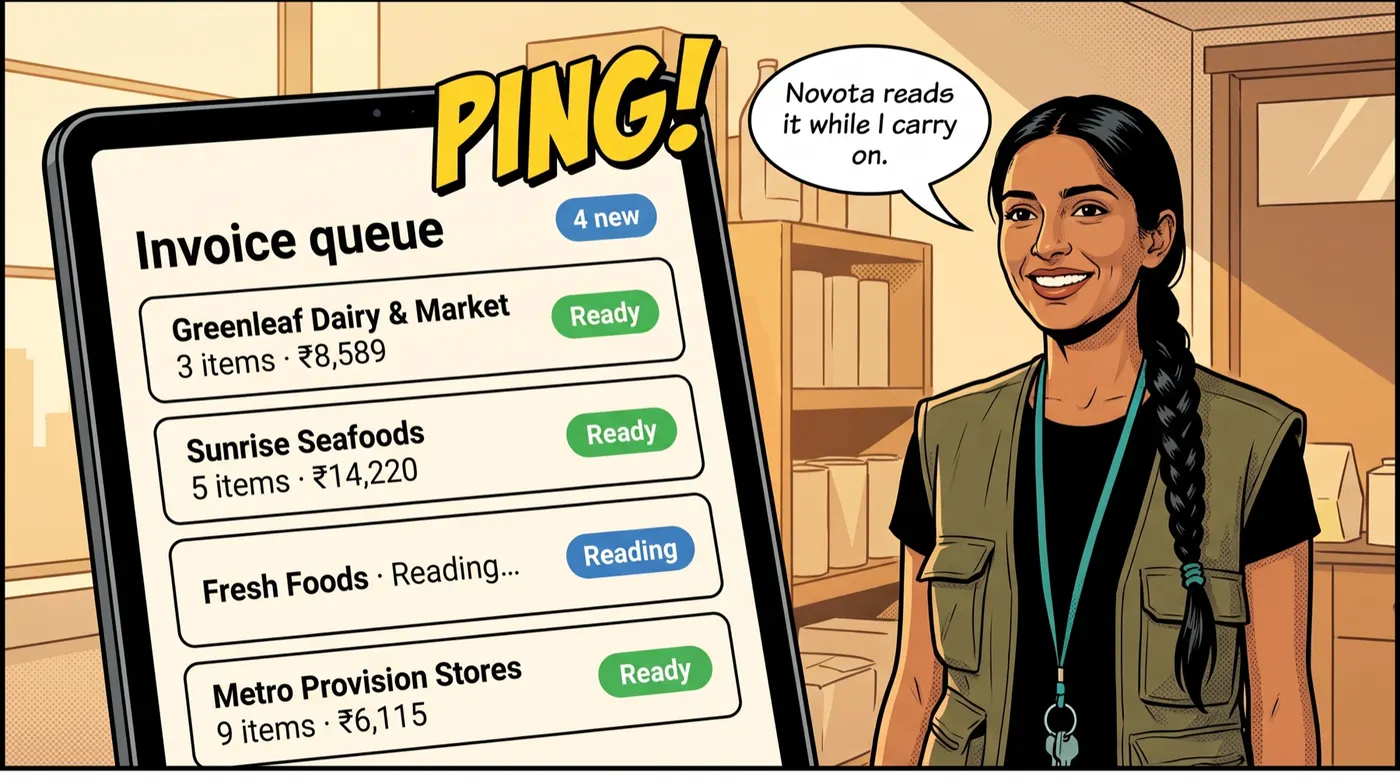 Bills are read while the team carries on with the delivery.
Three things matter most in a restaurant:
- Handwritten bills. For vegetable and market vendors, Novota learns the vendor's printed bill pad once, then reads only the handwritten weights, rates and amounts after that. Handwritten cash memos are read too.
- Maths checked on every bill. Line totals, tax and the grand total are re-added. A bill whose written total doesn't match is flagged before anything posts.
- Duplicates stopped. The same bill arriving on paper and on WhatsApp is caught, so it can't be paid twice.
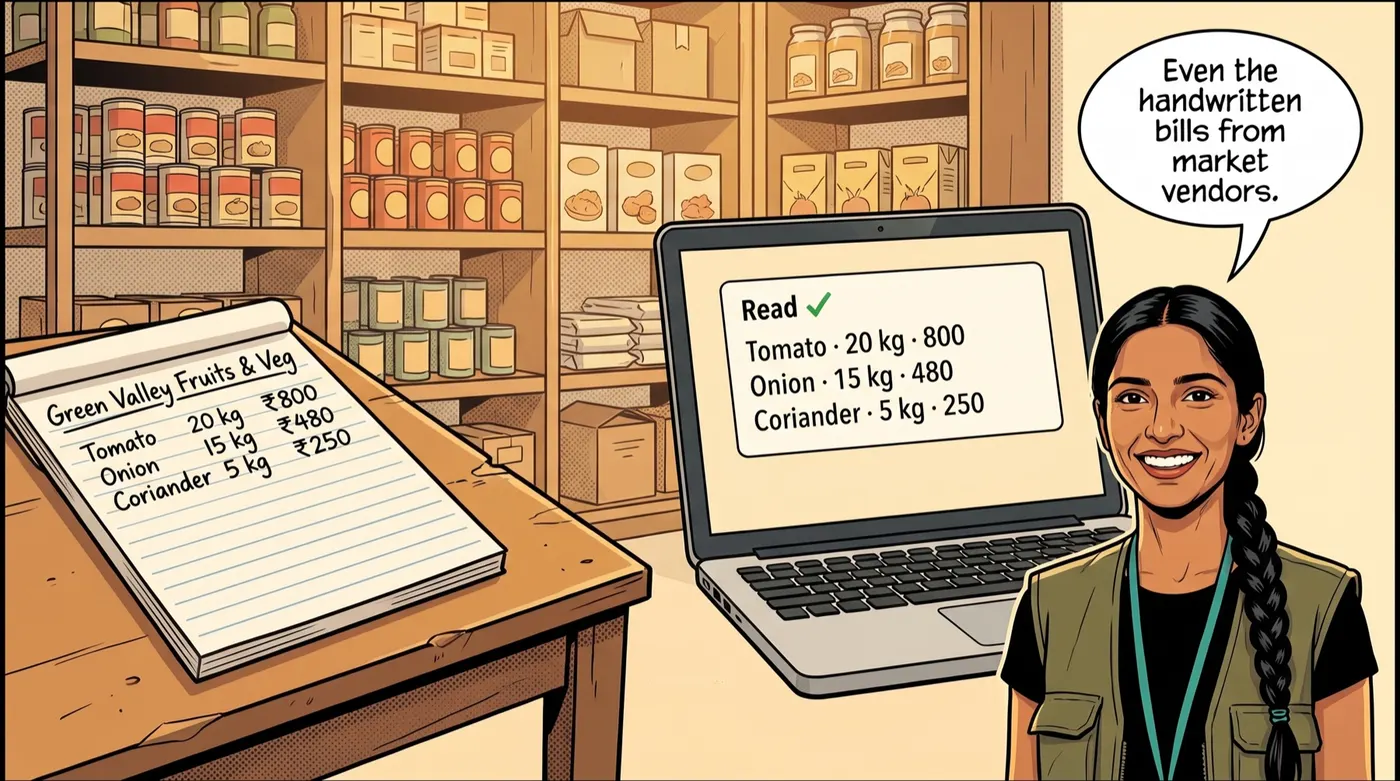 Market-vendor bill pads, read line by line.
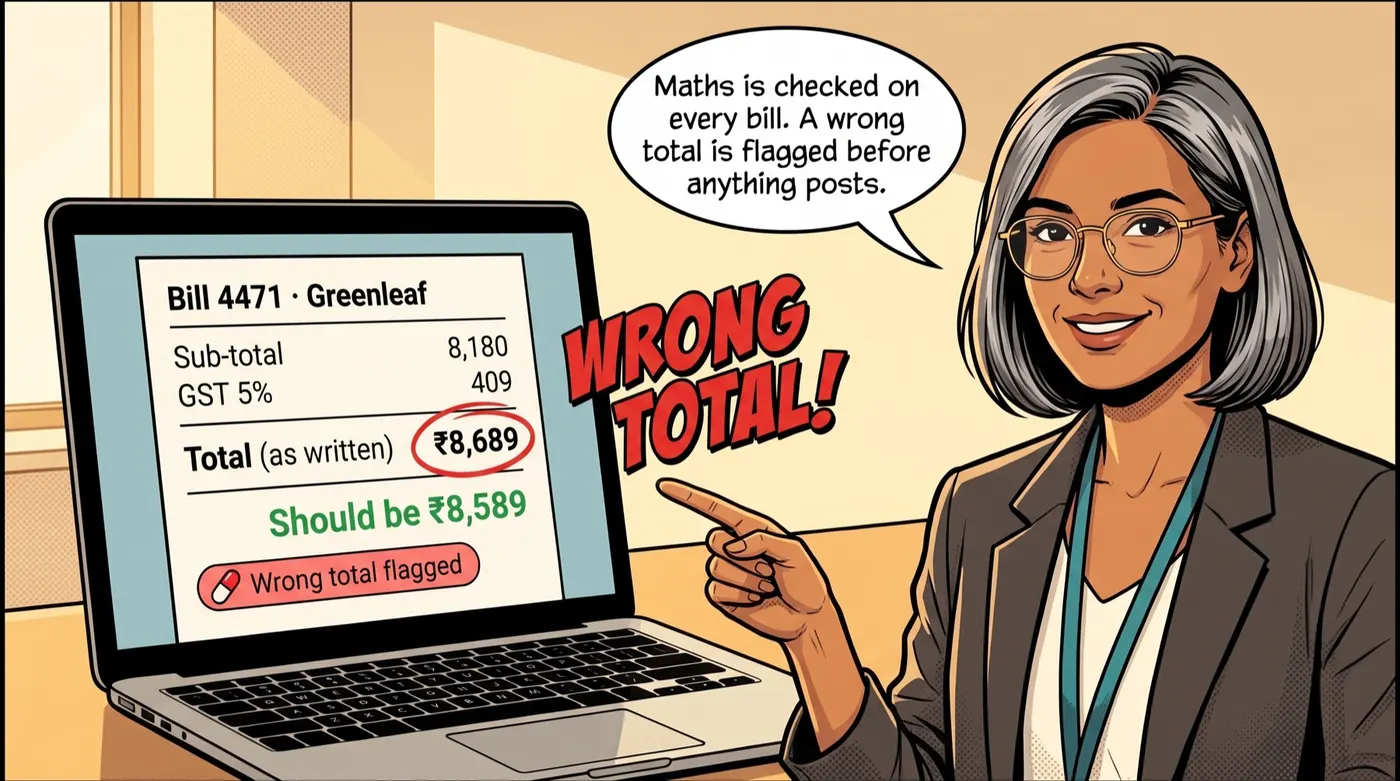 A wrong total is flagged before it reaches your books.
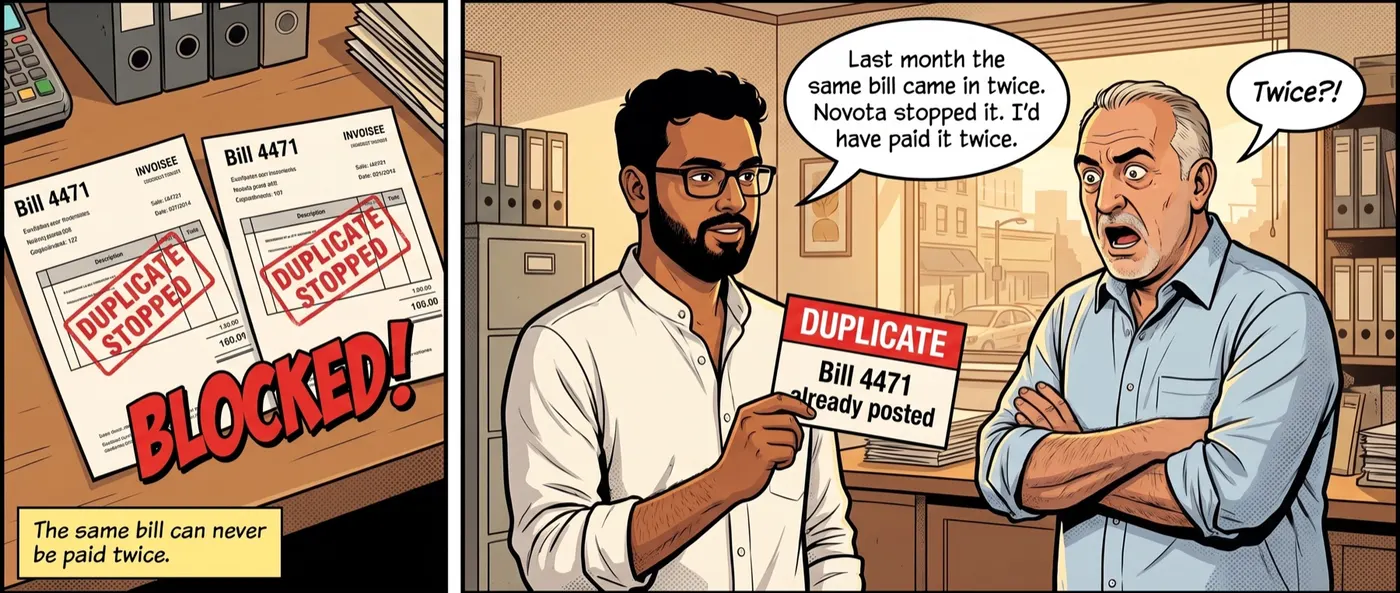 The same bill can't be posted twice.
2. MMS: purchasing, stock and audits
The Material Management System is where stock lives.
- One material master with units, pack conversions and categories. A case of liquor converts to bottles and millilitres on its own; a supplier's "Tmt 5kg" maps to your "Tomato".
- Procurement from purchase request to RFQ, purchase order and goods received note (GRN), or service received note (SRN) for services. Approved invoices become GRNs against your master, and stock goes up the moment they post.
- Stores and movements: material issues to the kitchen, transfers between stores and outlets, returns and wastage, all in one live stock ledger.
- Production and BOM: batch production consumes raw materials by recipe and books finished goods back to stock, with yield and costing carried through.
- Physical verification: count, compare and reconcile, with every variance posted and traceable.
- Traceability: drill from any balance back to the supplier bill that created it. Back-dated GRNs? One click rebuilds the balances from the ledger.
3. Recipe Module: the true cost of every plate
Build your menu in the Menu Designer, or upload your menu card and let Novota import the dishes and prices. Then cost each dish in the Recipe Builder: ingredients from your own store items, quantities, yield and loss percentages, and sub-recipes for gravies and bases. Auto-Build drafts recipes from your store items for you to approve, and each recipe can be downloaded as a PDF for the kitchen.
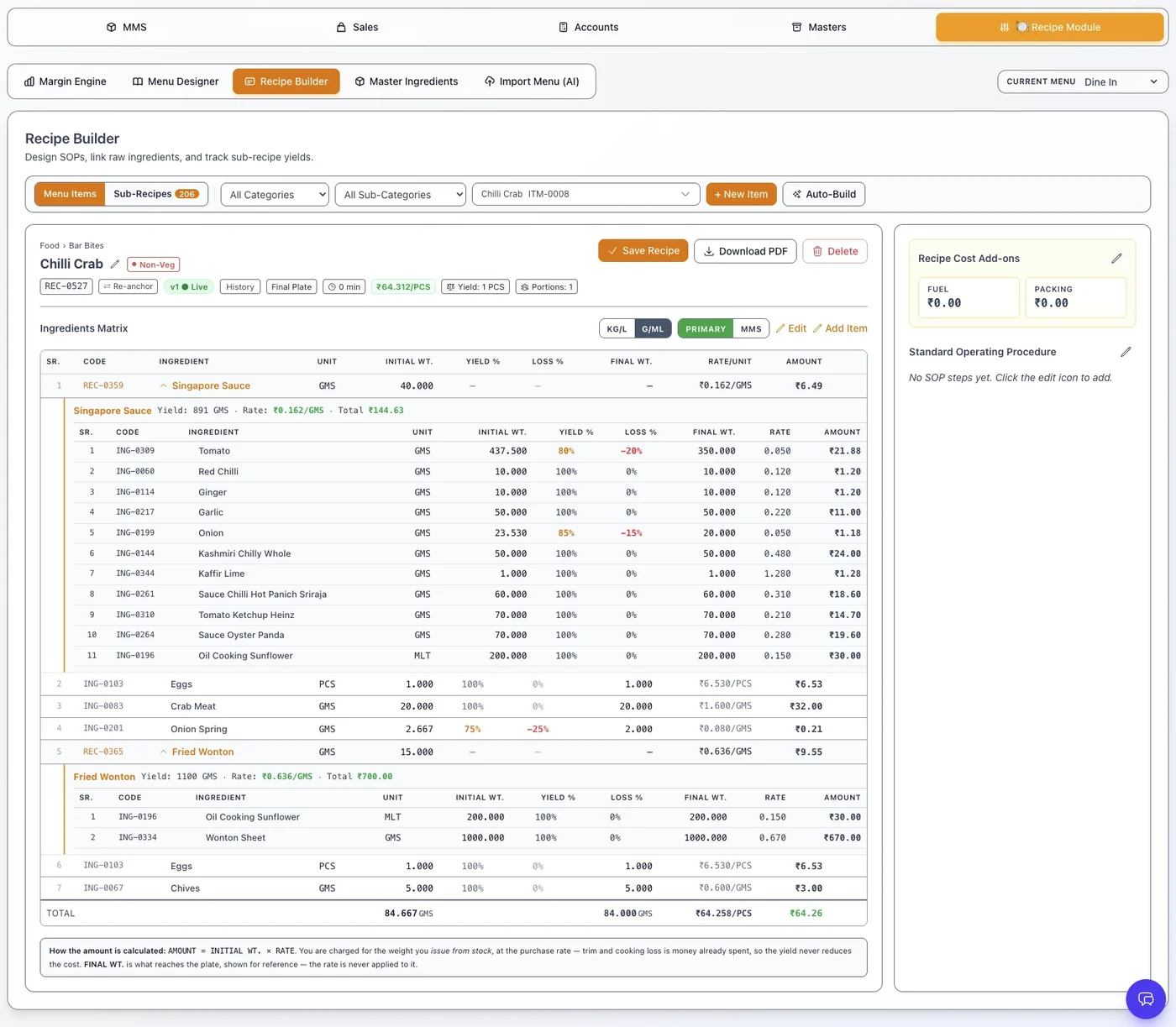 A dish costed down to each ingredient, with its sub-recipes rolled in.
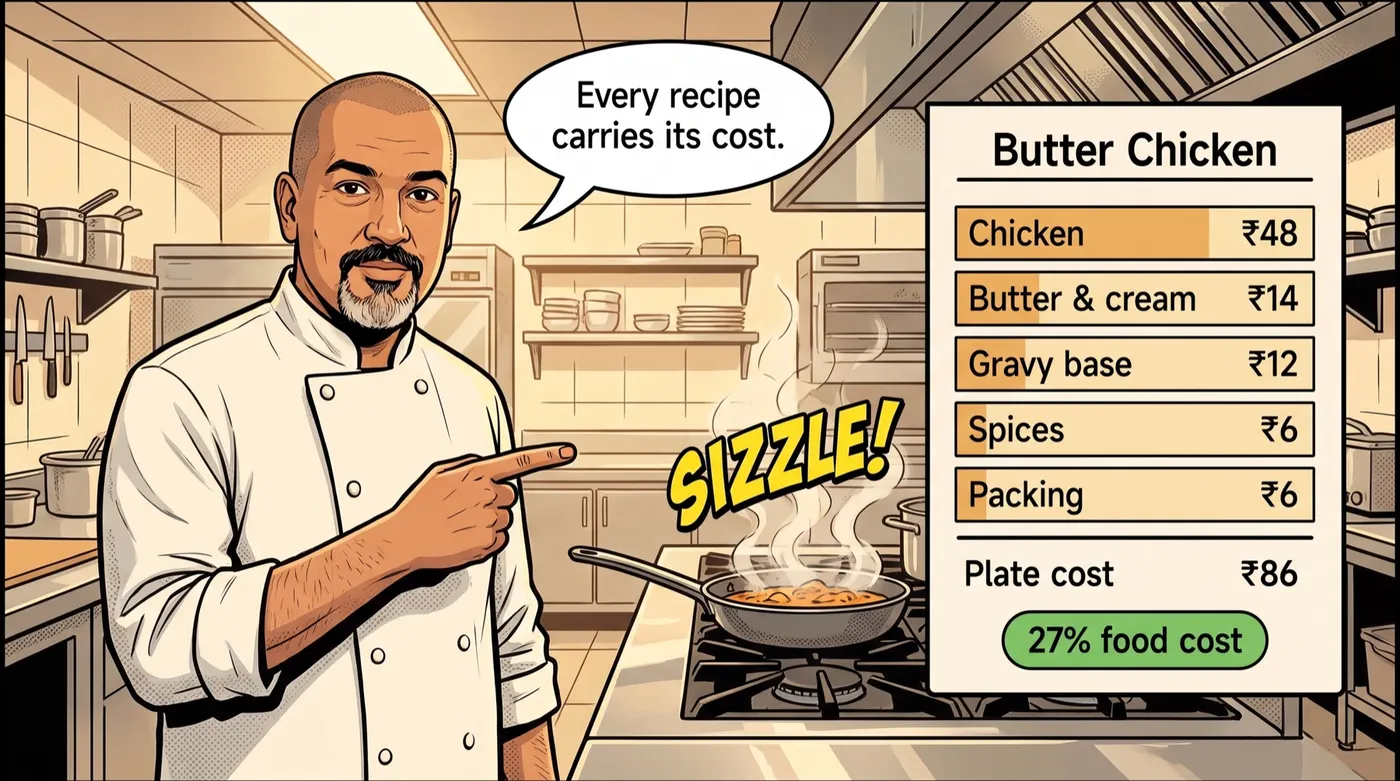 Every recipe carries its cost. Change a rate and every plate that uses it updates.
The Margin Engine puts recipe cost next to selling price for every dish, so food cost % and margin are visible across the menu, and the dishes that earn the least stand out.
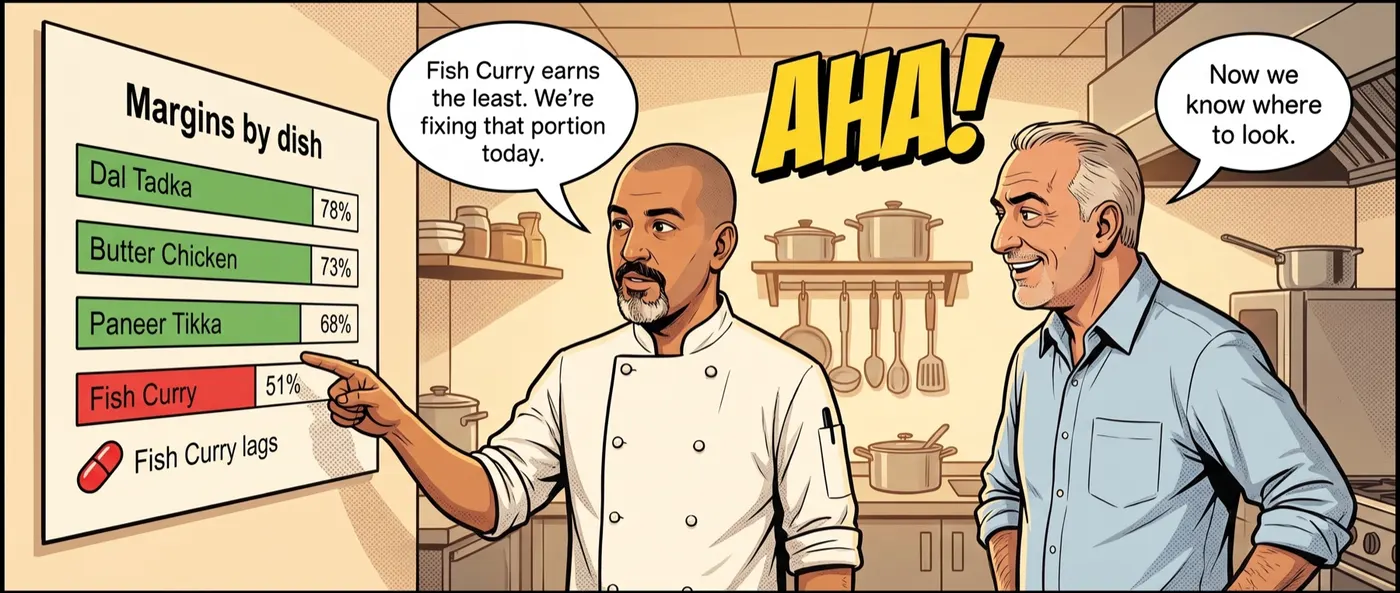 Margins by dish show which plates earn and which don't.
4. Sales: POS sales in, by channel
Import your POS sales — Petpooja and Rista among them — into the Sales Queue, check totals and dates, and post. Sales are split by channel, so dine-in, Zomato and Swiggy can be seen separately, and they feed consumption against your recipes.
For catering, events and B2B orders, Sales also issues sales invoices, quotations, proforma invoices and delivery challans, records returns and payments, and follows up on overdue amounts.
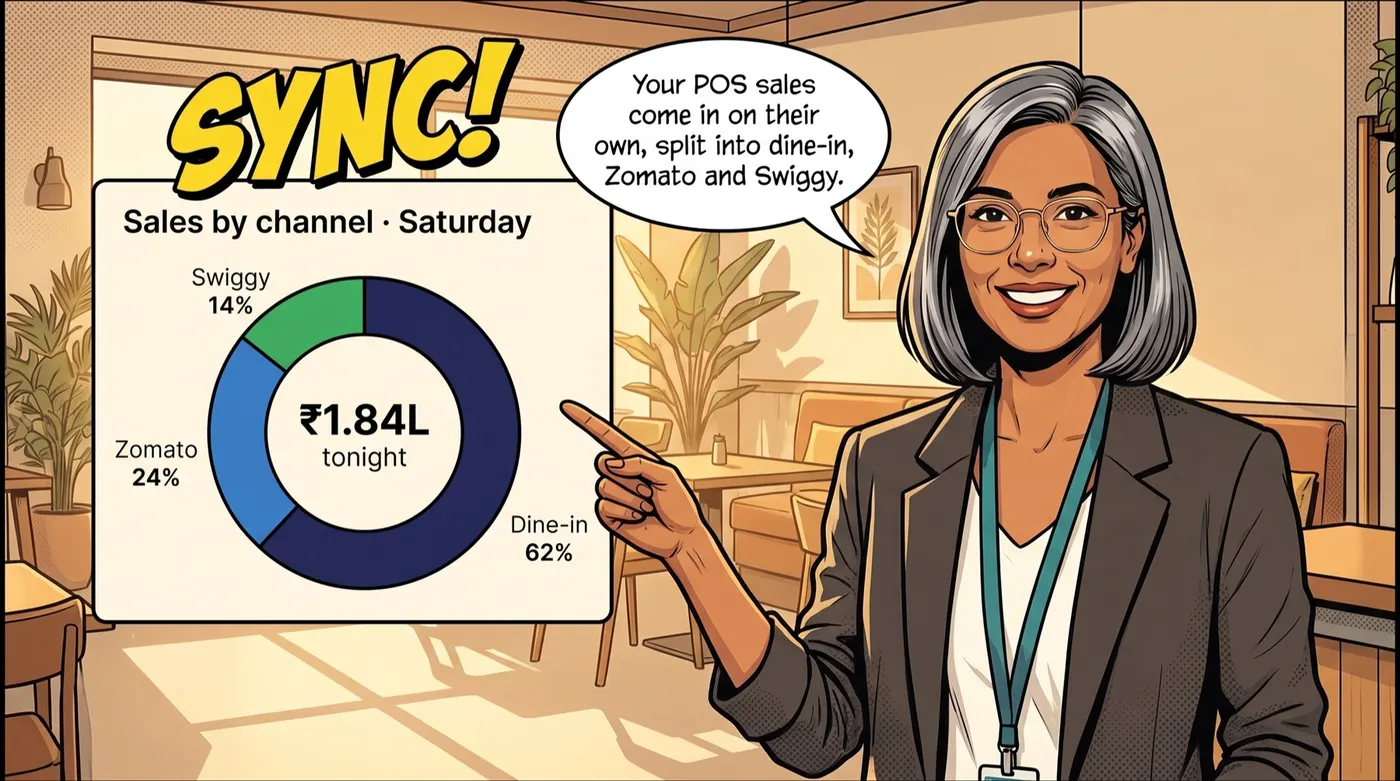 POS sales arrive on their own, split by channel.
5. Accounts: GST, dues and profit
Novota's Accounts module keeps a chart of accounts, a party master with GST and TDS details, payables linked to GRNs and SRNs, receivables, the general ledger, and bank and cash. From those come the reports an owner actually reads: trial balance, P&L, balance sheet, and GST and TDS summaries, current on any day of the month.
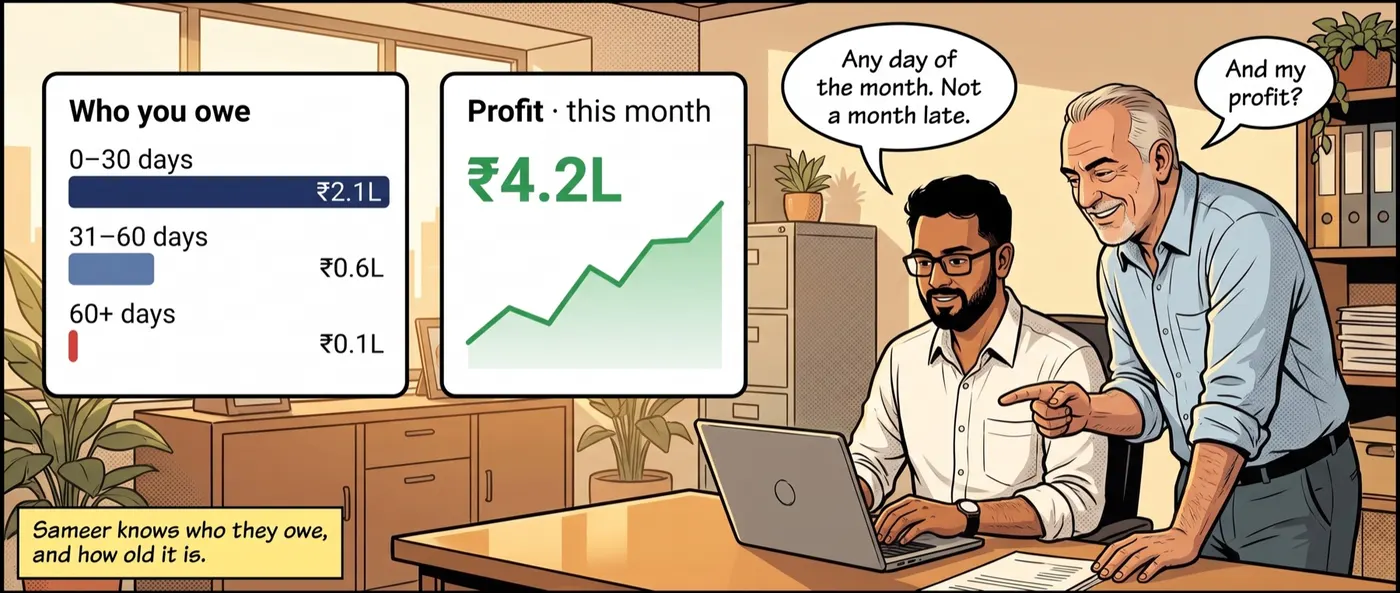 Who you owe, how old it is, and profit for the month so far.
And Tally, if you use it
If your accountant works in Tally Prime, nothing changes for them. Approved purchases post to Tally as vouchers with the right ledgers and GST through the Tally Connector, included on every plan. See how purchase entry into Tally Prime works for the full walkthrough.
Running a bar? Excise registers are handled separately by Novota BEC. Need attendance and payroll for the team? See Novota HR & Payroll.
Who it's for
- Restaurants and cafés that want food cost every week, not every quarter
- Bars and pubs where liquor is bought by the case and sold by the peg
- Hotel F&B with several outlets and a main store
- Cloud kitchens selling mostly through Zomato and Swiggy
- Multi-outlet groups and central kitchens that need stock, transfers and costs across branches in one view
Rolling it out: a four-week plan
- Week 1 — masters. Load your materials, units, stores and vendors. Start putting every supplier bill through the Invoice Queue.
- Week 2 — stock. Enter opening stock from a physical count. From now on, GRNs and issues keep the ledger live.
- Week 3 — recipes. Import your menu, cost your top 20 dishes and their sub-recipes first; they are usually most of your sales.
- Week 4 — sales and accounts. Import POS sales daily, run your first physical verification, and compare theoretical with actual consumption.
By the end of the first month, the Saturday-night question has an answer — and it keeps updating.
Pricing
Novota is billed by invoice page processed. Every plan includes the full MMS suite and the Tally Connector, with a monthly page allowance, top-up packs when you need more, and a saving on annual plans. The free trial includes 20 invoice pages with no card. See the current plans on the Novota with MMS page.
Frequently asked questions
What is the difference between a POS and a restaurant ERP?
A POS records what you sold: orders, bills, payments and channels. A restaurant ERP runs everything behind it: supplier bills, purchasing, stock, recipes and food cost, accounts and GST. The POS tells you revenue; the ERP tells you what that revenue cost you.
How do I calculate food cost percentage?
Divide the cost of the ingredients in a dish by its selling price and multiply by 100. A butter chicken with ₹86 of ingredients sold at ₹320 has a food cost of about 27%. For the whole kitchen, use opening stock plus purchases minus closing stock, divided by food sales for the same period.
Do I have to replace my POS to use Novota?
No. Novota sits behind your POS. Sales are imported from your POS reports — Petpooja and Rista among them — and turned into consumption against your recipes.
Can Novota read handwritten bills from vegetable and market vendors?
Yes. For fresh-produce vendors, Novota learns the vendor's printed bill pad once and then reads only the handwritten weights, rates and amounts on later bills. Handwritten cash memos are read too.
Does Novota still post to Tally Prime?
Yes. Purchase vouchers post to Tally Prime through the Tally Connector, which is included on every plan. You can also keep your books in Novota's own Accounts module.
How is Novota ERP billed?
By invoice page processed, with a monthly page allowance on each plan and top-up packs if you need more. Every plan includes the full MMS suite and the Tally Connector, and there is a free trial with 20 invoice pages and no card.